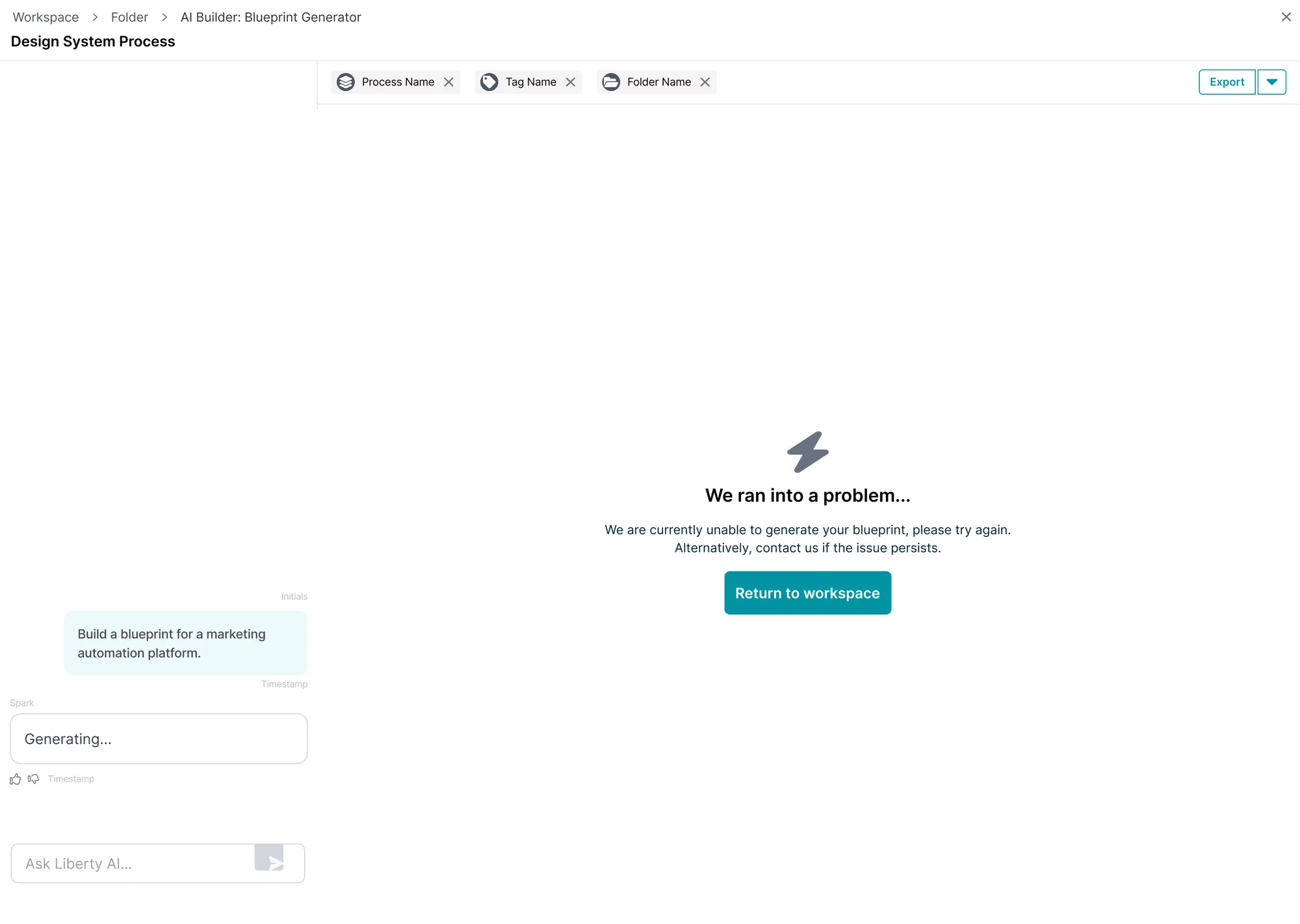
When Things Go Wrong
Keep the original request so retry doesn't mean starting again.
 — view full size
  Netcall Liberty AI 01 / 04
 Designing a trustworthy handoff from conversation to process creation.
During customer onboarding, demos and customer conversations, the team repeatedly saw people begin process-generation tasks in the general assistant. I also spoke with client stakeholders about what they were trying to create and how they expected AI to work across the platform. Alongside this customer evidence, Product and AI Engineering helped us understand a second problem: process quality could vary when the assistant did not have enough structured context.
The opportunity:
We needed to preserve their
intent, gather only the context required, and make the transition feel
like a continuation of the same task.
Sparse or inconsistent prompts could produce a weak starting map.
People could be left repeating themselves or wondering what carried forward.
The assistant needed to feel connected to actions across the platform, not separate from them.
A disconnected or unpredictable experience could make people less confident using AI to begin work.
Liberty AI began as a contextual assistant embedded alongside users' work.
But creating or changing a real process required a more focused workflow,
where generated steps, owners and approvals could be reviewed before
making further changes.
The design challenge
Move users from contextual
conversation into Process Builder without losing their request, while
keeping them in control of what the AI changes.
Users shouldn't have to explain the same problem again when moving into AI Builder.
Automate the AI to ask focused and structured questions where information is missing.
AI can generate quickly and mistakes can be difficult to untangle. Nothing should change until a person has approved it.
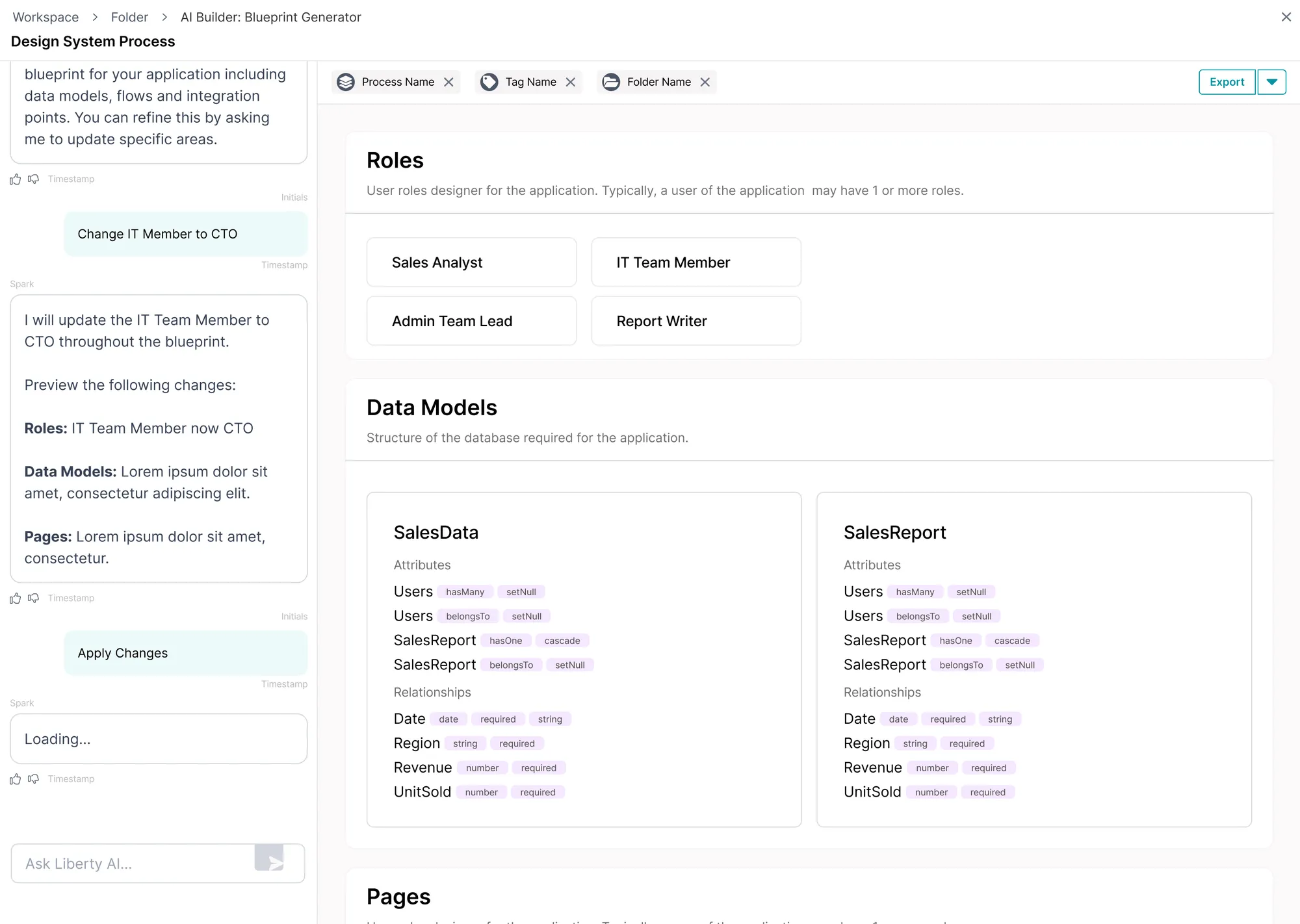 — view full size
 Confirms what it has done after an action and what the user can do next.
Shows which processes and documents from the project are provided to the AI.
Proposed actions are shown to ensure the user understands what happens when they press Apply.
Shows that the AI is working on the request, even while nothing new appears.
Breaks down the blueprint needed to build an application, including the necessary data, pages and outputs.
Hover the markers to explore the AI application blueprint feature.
I worked with Product and AI Engineering to define the minimum context that Process Generator needed, reusing what the assistant already knew and adding purposeful friction only where user input was essential before moving them clearly into Process Builder.
The assistant first identified what the customer was trying to create, then routed them into the right experience.
For vague requests, a structured chat form gathered the minimum focused information before Process Generator was triggered.
The form asked which folder to save the map in, making a chat-generated result easier to find and continue working on.
I designed the interaction around a simple rule: AI can propose; the user decides.
If a request would remove an important safeguard, the assistant explains what is at risk and gives the user a route forward rather than complying or presenting a dead-end refusal.
The person
One sentence. The assistant has an intent, not a process, and says so before it asks for anything.
Liberty AI
Two closed questions. A clarification you have to compose yourself is one most people skip, and a skipped clarification comes back as a wrong process.
Liberty AI
Named stages rather than a spinner, so the wait shows what is being decided — including the answer you just gave, read back.
The person
The proposed change against what it would replace. Ask for another and the loop runs again rather than starting over.
The person
The prototype below follows a request from initial intent through clarification, generation, review and application — including what happens when the user asks the AI to remove a safeguard.
Nothing exists yet. The assistant has an intent, not a process, and it says so before it asks for anything.
Two questions, both closed. A clarification you have to compose yourself is a clarification most people skip, and a skipped clarification comes back as a wrong process.
A spinner says wait. Named stages say what is being decided while you wait — and the third one is the answer you gave, read back to you before the process arrives.
Applying does not end it. The confirmation carries an Undo that stays in the thread rather than a toast that times out, so the way back is still there a minute later.
It refuses, names the one thing that is at risk, and leaves two ways forward. A refusal with no route out is just a wall, and the next thing the person does is go round it.
Every clarification, progress state and preview adds friction. But the cost of friction can be outweighed when it comes to compliance, regulation and high-risk changes.
Faster, but removes the safest point to catch mistakes.
Quicker for experts, but relies on users knowing what information the AI needs.
Cleaner, but removes the assistant from the workspace context where the users interrogate it.
During real usage, the happy path is not always what happens. Users build their trust in AI when it can handle uncertainty, ambiguity and when something goes wrong. I accounted for these states so users are presented with solutions rather than dead ends.
Keep the original request so retry doesn't mean starting again.
— view full size AI proposes the changes. A person takes control of what happens.
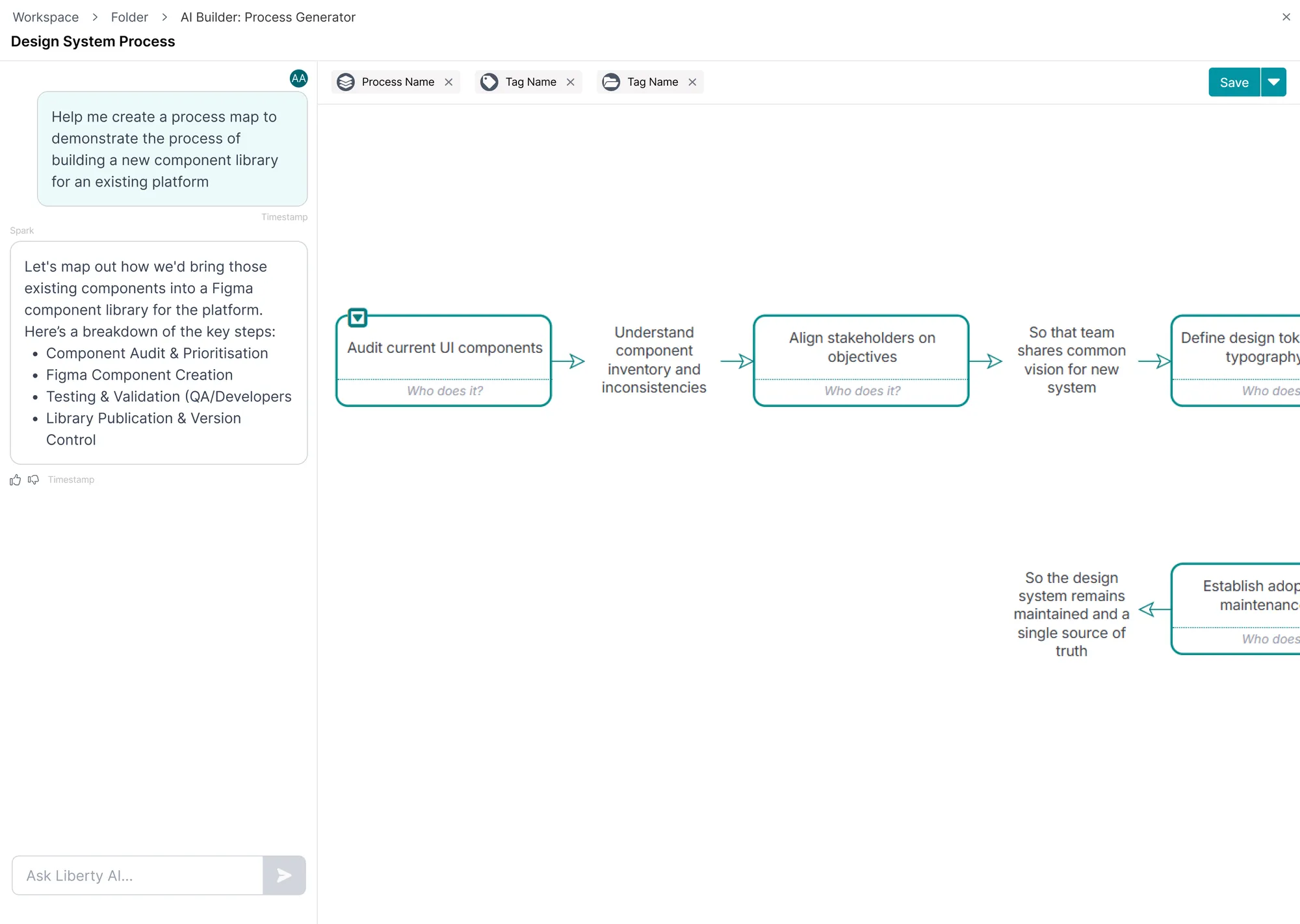 — view full size
 Follow a request from the contextual assistant into AI Process Builder, generate a process, review it and deliberately apply or save for later. Experience the transition from assistant to a deeper workflow.
Prototype has been reskinned for presentation purposes.
Plays as a short walkthrough when it scrolls into view — pause, or just click into it to take over. With reduced motion on it waits to be started.
One client team used Liberty AI to create 150 working BPMN process maps within two weeks. This was a strong early signal that the capability was being used for real process-building work that would typically take months with conventional process-mapping workflows.
The feature was designed for complex enterprise environments, where teams need a process they can inspect, refine and apply rather than rely purely on a first-pass AI-generated process they can't review.
Are people genuinely reviewing proposed changes?
Are problems being noticed after application? How clear was the AI's proposal?
How much work does it take to reach an acceptable result?